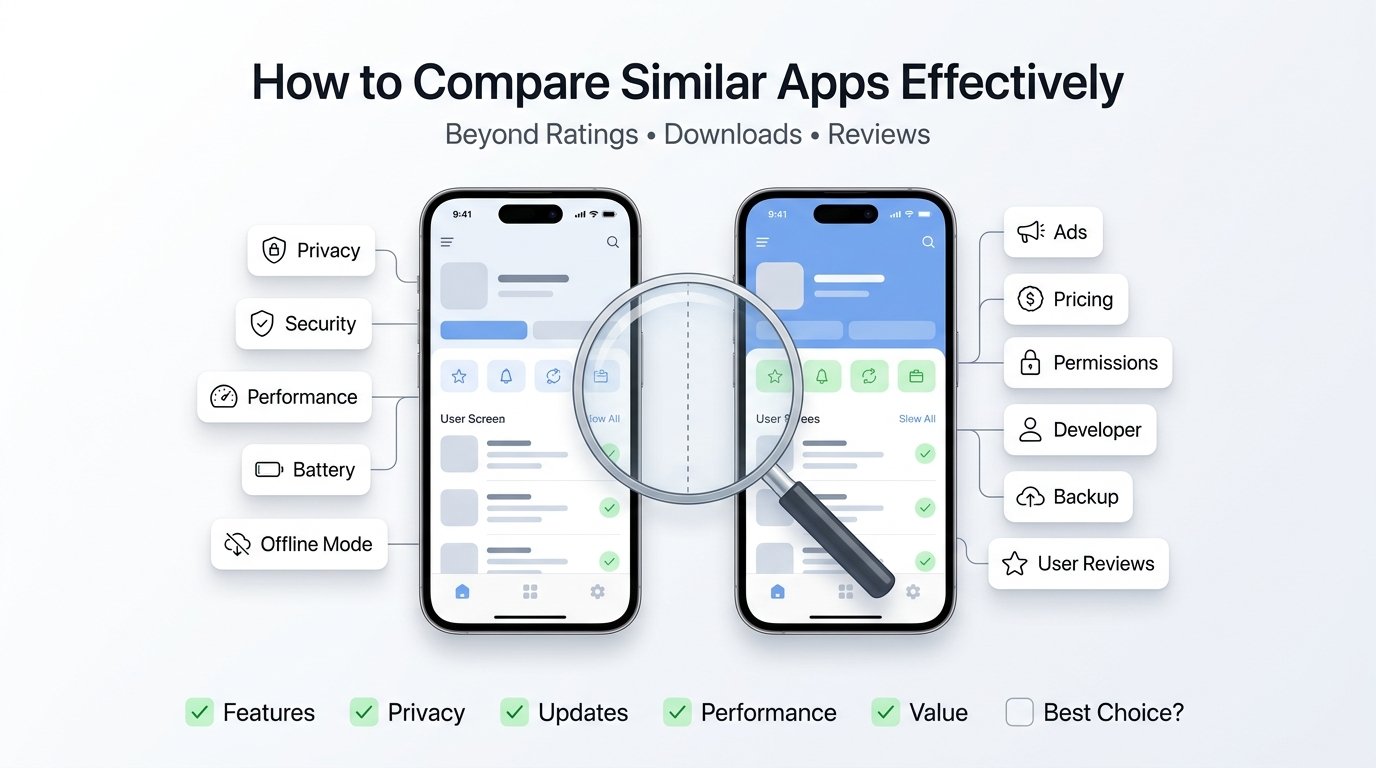
Quick Answer: Comparing similar apps effectively means looking beyond ratings and download numbers. Evaluate the developer’s reputation, privacy practices, update quality, real-world performance, subscription fairness, data ownership, offline functionality, and long-term reliability. The best app isn’t always the most popular—it’s the one that consistently meets your needs while protecting your data, time, and money.
Most app comparison articles tell you to check three things:
- ⭐ Ratings
- 📥 Downloads
- 📝 Reviews
That advice is no longer enough.
Today, two apps can have almost identical ratings, millions of downloads, and similar screenshots—but deliver completely different experiences after a few weeks of use.
The difference often lies in details that most comparison guides never mention. Hidden subscription changes, poor long-term updates, aggressive advertisements, weak privacy practices, and unreliable backup options can turn a promising app into one you quickly uninstall.
This guide introduces a practical 27-point framework that looks beyond surface-level metrics. Instead of asking, “Which app is more popular?”, you’ll learn to ask, “Which app will still be worth using six months from now?”
Table of Contents
The Three Stages of Comparing Apps
Most users compare apps in only one stage: before downloading.
In reality, a meaningful comparison spans three stages:
| Stage | What to Evaluate |
|---|---|
| Before Installing | Trust, developer, permissions, pricing |
| First 30 Minutes | Ease of setup, interface, speed |
| Long-Term Use | Updates, reliability, subscriptions, support |
Apps often impress during installation but disappoint after weeks of everyday use.
1. Compare the Developer’s Reputation, Not Just the App
A quality app usually comes from a developer with a consistent track record.
Ask questions like:
- Do they maintain several well-reviewed apps?
- Do they regularly update older products?
- Is there a professional support website?
- Are privacy policies easy to understand?
- Do they communicate changes clearly?
An app is temporary. A developer’s habits are long-term.
2. Measure “Feature Depth” Instead of Feature Count
Many comparison articles simply count features.
That can be misleading.
Example:
Two note-taking apps both advertise:
✓ PDF Export
But compare further.
App A
- exports searchable PDFs
- preserves formatting
- embeds images correctly
App B
- exports flattened images only
Both technically have the feature, but one provides significantly greater value.
3. Separate Essential Features From Marketing Features
Many app descriptions include long lists of capabilities.
Create two columns.
Essential
- backup
- security
- stability
- export
- synchronization
Marketing
- animated themes
- stickers
- seasonal icons
- decorative effects
A shorter feature list with stronger essentials often provides the better experience.
4. Read Reviews Backwards
Most users begin with 5-star reviews.
Instead:
Start with
1★
Then
2★
Then
3★
You’re searching for repeating patterns.
Examples:
- crashes after update
- subscription problems
- login failures
- battery drain
Repeated complaints deserve more attention than hundreds of brief positive comments.
5. Look for Review Trends, Not Individual Opinions
One complaint means very little.
Two hundred similar complaints indicate a pattern.
Create a mental checklist.
Are users repeatedly mentioning:
- overheating?
- advertisements?
- deleted data?
- login issues?
- customer support?
Patterns are far more valuable than isolated opinions.
6. Check How the App Behaves Offline
Many apps advertise offline support.
Test what “offline” actually means.
Can you:
- create content?
- edit files?
- search?
- export?
- print?
- save progress?
Some apps merely open without internet but cannot perform meaningful work.
7. Study Permission Growth Over Time
Permissions change.
Sometimes dramatically.
If version 1 requested:
- Storage
but today’s version requests
- Contacts
- Camera
- Bluetooth
- Nearby Devices
- Location
ask why.
Permission growth tells an important story about an app’s evolution.
8. Compare Subscription Fairness
Don’t only compare price.
Compare fairness.
Questions worth asking:
- Is there a free trial?
- Are core features locked?
- Is pricing explained clearly?
- Can subscriptions be cancelled easily?
- Does the app remind users before renewal?
Transparent pricing builds trust.
9. Evaluate Advertisement Quality
Instead of asking:
“Does it contain ads?”
Ask:
“How disruptive are the ads?”
Compare:
- banner ads
- rewarded videos
- full-screen interruptions
- startup ads
- editing interruptions
- audio advertisements
Frequency matters as much as quantity.
10. Compare Learning Time
A good app teaches itself.
Measure:
How many minutes does it take for a first-time user to complete the primary task?
This is far more meaningful than saying an app has a “good interface.”
11. Test the Worst-Case Scenario
One of the biggest mistakes in app comparisons is testing only under ideal conditions.
Instead, imagine:
- low battery
- slow internet
- almost full storage
- older device
- airplane mode
- weak network
Great apps continue performing well even under less-than-perfect conditions.
12. Check Data Ownership
Ask one important question.
“If I stop using this app tomorrow, what happens to my data?”
Look for:
- export options
- open file formats
- backup availability
- account deletion tools
- cloud portability
Your data should remain yours.
13. Evaluate Update Quality
Frequent updates don’t automatically mean improvement.
Instead examine:
- bug fixes
- security improvements
- accessibility enhancements
- compatibility updates
A monthly cosmetic update may add less value than a quarterly stability update.
14. Compare Customer Support Experience
Support quality rarely appears in comparison articles.
Check:
- response channels
- documentation
- FAQs
- issue tracking
- community forums
Reliable support becomes valuable when problems occur.
15. Compare the Exit Experience
Surprisingly few people think about leaving an app.
Can you:
- export data?
- delete your account?
- cancel subscriptions easily?
- remove personal information?
An app should be as easy to leave as it is to install.
16. Think Six Months Ahead
Instead of asking:
“Is this app good today?”
Ask:
“Will I still enjoy using this six months from now?”
Consider:
- update history
- roadmap
- pricing trends
- storage growth
- advertising changes
- reliability
Long-term value matters more than first impressions.
The Hidden Cost Score
Many apps are “free” only at first glance.
Create your own Hidden Cost Score by checking:
| Hidden Cost | Check |
|---|---|
| Premium Features Locked | □ |
| Frequent Advertisements | □ |
| Cloud Storage Fees | □ |
| Subscription Required | □ |
| Watermarks | □ |
| Export Restrictions | □ |
| Device Limits | □ |
| Account Requirement | □ |
Sometimes the cheapest-looking app becomes the most expensive over time.
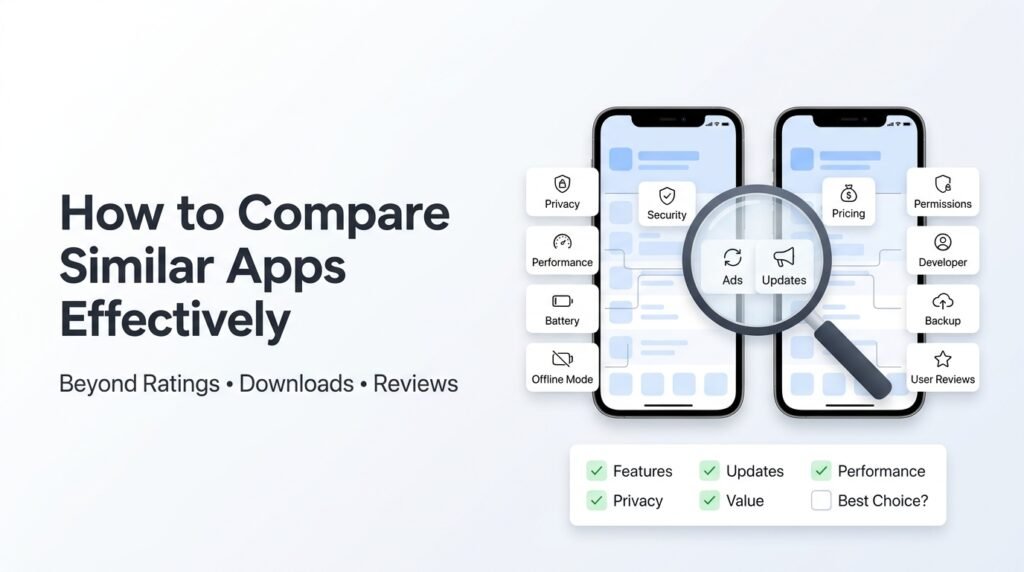
The 27-Point App Comparison Checklist
Trust
□ Professional developer
□ Active website
□ Transparent privacy policy
□ Regular maintenance
Usability
□ Fast installation
□ Simple onboarding
□ Easy navigation
□ Helpful tutorials
Performance
□ Quick startup
□ Stable performance
□ Low battery usage
□ Efficient memory use
Privacy
□ Reasonable permissions
□ Secure login
□ Data export available
□ Account deletion supported
Long-Term Value
□ Fair pricing
□ Honest subscriptions
□ Useful updates
□ Reliable support
User Experience
□ Minimal ads
□ Accessible design
□ Offline functionality
□ Backup options
Future Readiness
□ Cross-device support
□ Open file formats
□ Active development
How to Choose the Right App
Instead of declaring a single “winner,” identify which app fits your situation.
An app may be:
- Best for beginners
- Best for professionals
- Best for privacy-conscious users
- Best for offline work
- Best for collaboration
- Best for long-term value
- Best for budget-conscious users
The best app isn’t the one with the highest rating—it’s the one that best matches how you actually use your device.
Conclusion
Comparing apps effectively isn’t about counting stars or downloads. It’s about understanding how an app performs over time, how responsibly it’s maintained, and whether it respects your time, data, and money.
By evaluating apps through this broader framework, you’ll make decisions based on real-world usability rather than marketing claims. The result is fewer disappointing downloads, better long-term value, and apps that genuinely fit your needs.
Frequently Asked Questions
Is a higher download count always better?
No. Download numbers indicate popularity, not necessarily quality or suitability. Newer apps with fewer downloads may offer better privacy, performance, or innovation.
Should I trust user reviews?
Yes, but focus on recurring themes in recent reviews rather than isolated praise or criticism.
Why is the developer important?
A responsible developer is more likely to provide timely updates, security fixes, and reliable customer support over the app’s lifetime.
How often should I re-evaluate an app?
Review major updates, pricing changes, and privacy policy updates periodically, especially if you rely on the app for important tasks.
What makes this comparison method different?
It emphasizes long-term usability, transparency, data ownership, and real-world behavior rather than relying primarily on ratings, downloads, or feature lists. This helps users make decisions that remain beneficial well after installation.
Keep Exploring
Discover more reviews, guides, and comparisons to help you choose the right Android apps.
 How to Choose the Right Android App Before Downloading: A Practical Decision Guide (2026)
Published: 25 Jul 2026 • 04:45 PM Updated: 25 Jul 2026 • 04:45 PM Reading: 7 min read...
How to Choose the Right Android App Before Downloading: A Practical Decision Guide (2026)
Published: 25 Jul 2026 • 04:45 PM Updated: 25 Jul 2026 • 04:45 PM Reading: 7 min read...
 How to Check If an App Shares Data With Third Parties
Published: 21 Jul 2026 • 11:30 PM Updated: 21 Jul 2026 • 11:34 PM Reading: 19 min read...
How to Check If an App Shares Data With Third Parties
Published: 21 Jul 2026 • 11:30 PM Updated: 21 Jul 2026 • 11:34 PM Reading: 19 min read...
 What Happens When You Delete an App? The Complete Android Guide
Published: 17 Jul 2026 • 12:09 AM Updated: 17 Jul 2026 • 12:09 AM Reading: 47 min read...
What Happens When You Delete an App? The Complete Android Guide
Published: 17 Jul 2026 • 12:09 AM Updated: 17 Jul 2026 • 12:09 AM Reading: 47 min read...
 Remove Unused App Permissions on Android for Better Privacy
Published: 15 Jul 2026 • 06:31 PM Updated: 15 Jul 2026 • 06:32 PM Reading: 24 min read...
Remove Unused App Permissions on Android for Better Privacy
Published: 15 Jul 2026 • 06:31 PM Updated: 15 Jul 2026 • 06:32 PM Reading: 24 min read...