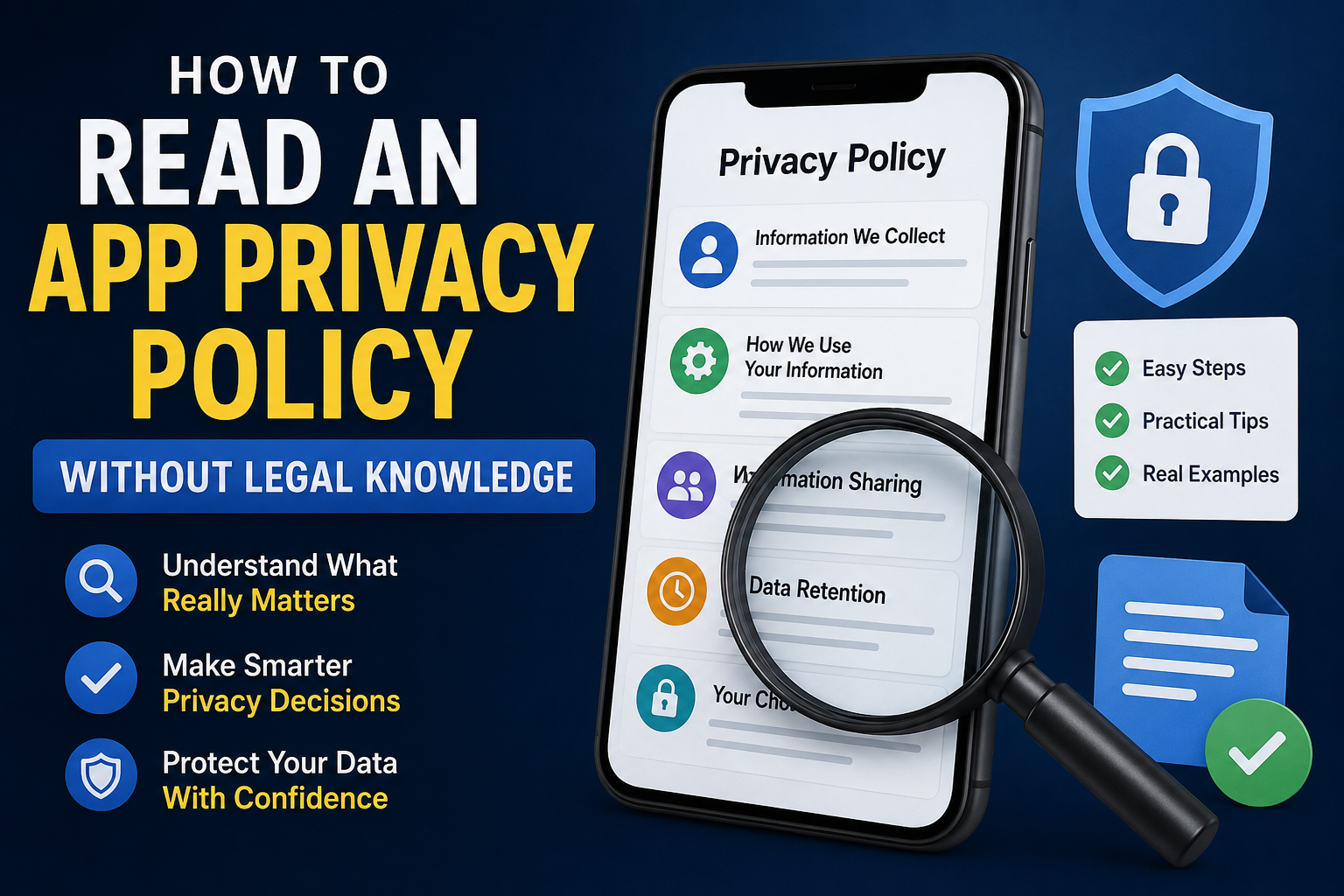
Every day, millions of people install new apps for chatting, shopping, banking, learning, fitness, entertainment, and productivity. Before using those apps, most of us quickly tap “Agree“ without reading the privacy policy. It’s easy to understand why. Privacy policies often look long, technical, and filled with legal language that seems written for lawyers instead of everyday users.
The good news is that you don’t need a legal background to understand the parts that actually matter.
A privacy policy is not a test that you have to read from the first sentence to the last. Instead, think of it as a reference guide. Your goal isn’t to memorize every paragraph. Your goal is to answer one simple question:
“Does this app explain clearly what it does with my information?”
Once you know where to look and what questions to ask, even a lengthy privacy policy becomes much easier to understand.
This guide focuses on practical reading techniques rather than legal terminology. Instead of explaining complicated laws, you’ll learn how to quickly identify the sections that deserve your attention and how to decide whether an app’s privacy practices make sense for its purpose.
Table of Contents
Why Most People Find Privacy Policies Difficult
Many users believe they aren’t capable of understanding privacy policies. In reality, the documents themselves are often difficult to read because they’re designed to satisfy legal requirements, explain different situations, and cover multiple countries or services at once.
That means a single privacy policy may include information that doesn’t apply to every user or every feature. Reading every sentence in order can quickly become overwhelming.
The challenge isn’t your reading ability. The challenge is knowing which information is actually useful for your decision.
Instead of trying to understand every legal phrase, focus on identifying the answers to a handful of practical questions:
- What information does the app collect?
- Why is that information needed?
- Who receives that information?
- How long is it kept?
- What choices do I have?
Once you find those answers, you’ve already understood the most important parts of the policy.
Think Like an Investigator, Not a Lawyer
One of the biggest mistakes people make is assuming they need to understand legal language. That’s rarely necessary.
Imagine you’re checking reviews before buying a new phone. You don’t study engineering diagrams—you simply look for the information that helps you decide whether the product meets your needs.
Reading a privacy policy works the same way.
Instead of asking:
“What does this legal sentence mean?”
Ask:
“What is this company trying to tell me about my information?”
This small change in mindset makes reading much easier.
Whenever you find a paragraph, try translating it into everyday language. If a sentence says the company collects information to improve its services, ask yourself:
- What information?
- Improve which feature?
- Is that reasonable for this type of app?
Simple questions often reveal far more than complicated legal wording.
The 60-Second Privacy Scan
Many people believe reading a privacy policy takes half an hour. In reality, you can often learn the most important information within the first minute.
Rather than scrolling from top to bottom, use your browser’s Find feature (Ctrl + F on a computer or “Find in Page” on most mobile browsers) and search for these common section titles:
| Search For | Why It Matters |
|---|---|
| Information We Collect | Shows what data the app may gather. |
| How We Use Information | Explains why the information is needed. |
| Third Parties | Reveals whether other companies may receive data. |
| Data Retention | Explains how long information may be stored. |
| Your Rights | Describes what control users have over their information. |
| Contact Us | Shows how users can ask questions or request support. |
This simple approach helps you skip less important introductory text and reach the sections that directly affect your decision.
Don’t Try to Read Everything
This advice may sound surprising, but reading every word is often unnecessary.
Privacy policies commonly include sections about legal definitions, regulatory requirements, copyright notices, company background, or general legal statements that don’t help you decide whether to trust the app.
For a first review, it’s perfectly reasonable to skip those sections and focus on practical information.
Think of it like reading a user manual. If you’re trying to learn how to charge a device, you don’t start with the warranty page.
Likewise, when evaluating privacy, concentrate on the information that affects how your personal data is handled.
Understand the Difference Between Permissions and Privacy Policies
This is one of the most misunderstood topics in mobile privacy.
Many users assume that if an app requests camera permission, it automatically means the app constantly collects camera data.
That’s not always true.
Permissions and privacy policies answer two different questions.
Permissions explain what an app can technically access if you allow it.
Privacy policies explain how, why, and under what circumstances the app says it uses that access.
For example, a document scanning app naturally needs camera access so it can scan papers. That permission alone doesn’t tell you whether your scanned documents stay on your device, are uploaded for cloud backup, or are processed by another service.
The privacy policy helps answer those questions.
Looking at permissions without reading the privacy policy gives only half the picture. Looking at the privacy policy without understanding permissions also leaves important gaps. Using both together provides a more complete understanding of how an app handles your information.
A Simple Rule: Ask “Does This Make Sense?”
Instead of worrying about every technical detail, use a common-sense approach.
Imagine a weather app requesting your location. That seems reasonable because weather forecasts depend on where you are.
Now imagine a basic calculator requesting your contacts or precise location without explaining why. That naturally raises questions.
Rather than assuming something is wrong, ask:
- Is this information necessary for the app’s main purpose?
- Does the privacy policy explain why it’s needed?
- Does the explanation match the features I expect?
This “Does it make sense?” method is surprisingly effective because it focuses on context rather than fear.
Many apps collect certain information for legitimate reasons. The important question isn’t simply what they collect, but whether their explanation fits the service they provide.
The Expectation Test: The Easiest Way to Judge an App’s Privacy Practices
One of the simplest ways to understand a privacy policy doesn’t involve legal terms at all. It involves asking yourself one practical question:
“Does the information this app wants match what I expect this app to do?”
We’ll call this the Expectation Test.
Instead of memorizing privacy laws or technical jargon, compare the app’s purpose with the information it says it collects.
Here are some examples.
| App Type | Data Collected | Does It Make Sense? |
|---|---|---|
| Navigation app | Location | Yes |
| Banking app | Identity verification | Yes |
| Food delivery app | Address | Yes |
| Camera app | Camera access | Yes |
| Calculator | Camera, contacts, precise location | Worth understanding why |
| Flashlight | Contacts | Worth understanding why |
| Wallpaper app | SMS access | Worth understanding why |
Notice that “worth understanding why” is different from “unsafe.”
There are legitimate situations where an app may request access for optional features. The important step is checking whether the privacy policy clearly explains the reason.
A trustworthy privacy policy usually connects the requested information to an actual feature inside the app.
Don’t Read the Policy Alone—Compare Three Sources
Most users look at only one thing.
Some only read permissions.
Others only skim the privacy policy.
A smarter approach is to compare three sources together.
- The app’s description on its download page.
- The permissions requested during installation or use.
- The privacy policy.
Think of these as three different people describing the same story.
If all three agree, that’s generally a good sign.
For example:
The app description says it backs up photos.
The app requests photo access.
The privacy policy explains how photos are stored and protected.
Everything matches.
Now imagine another situation.
The app advertises itself as an offline note-taking app.
It requests access to your contacts, location, and microphone.
The privacy policy barely explains these features.
That doesn’t automatically mean the app is unsafe, but it does mean you should understand why those permissions are requested before deciding whether to use them.
Consistency builds confidence.
Contradictions deserve a closer look.
Learn to Read “Why,” Not Just “What”
Many readers stop after finding a list of collected information.
That list is only half of the story.
For every type of information, ask one additional question:
Why does the app need this?
For example:
Instead of reading:
“We collect device information.”
Ask:
“What feature requires device information?”
Instead of reading:
“We collect approximate location.”
Ask:
“Which feature depends on my location?”
Sometimes the explanation is obvious.
A ride-sharing app needs your location to match you with nearby drivers.
A weather app uses location to show local forecasts.
A translation app may access your microphone for voice translation.
The explanation should fit the feature.
If the connection isn’t obvious, continue reading until you understand it.
Good privacy policies explain both the data and the reason behind it.
Vague Language Doesn’t Always Mean Something Is Wrong
Many privacy policies contain phrases like:
- “We may collect…”
- “We may use…”
- “We may share…”
- “When applicable…”
- “Depending on your usage…”
Some readers immediately assume the worst.
In reality, these phrases often exist because different users use different features.
Imagine an app that offers:
- cloud backup
- voice search
- AI assistant
- photo editing
Not every user enables every feature.
Instead of writing separate privacy policies for every situation, the company often writes one policy that covers multiple possibilities.
When you see words like “may,” keep reading.
Look for the conditions.
Does the policy explain:
- when this happens?
- why it happens?
- which feature requires it?
Context matters much more than one isolated sentence.
What Does “Third Parties” Actually Mean?
This section often worries users the most.
Many people assume “third-party services” automatically means their personal information is being sold.
That’s not necessarily true.
Third-party services simply mean another company helps provide part of the app’s functionality.
For example:
A cloud storage provider.
A payment processor.
A map service.
A crash reporting platform.
An analytics provider.
An authentication service.
These services are common in modern app development.
The better question is:
Does the privacy policy explain why these services are used?
A clear explanation is usually more valuable than simply seeing the words “third party.”
Don’t Ignore the “Your Choices” Section
Many readers spend all their time looking at what companies collect.
Few look at what users can control.
That’s a mistake.
A well-written privacy policy often explains options such as:
- deleting your account
- requesting your data
- changing privacy settings
- disabling optional features
- managing notifications
- controlling personalized advertising
These sections show whether users have meaningful control over their information.
Even if you never use these options, knowing they exist helps you understand how the app approaches user privacy.
Look for Specific Explanations Instead of General Promises
Many privacy policies promise things like:
“We value your privacy.”
“We take security seriously.”
“We respect user data.”
Those statements sound reassuring, but they don’t explain much.
Instead, pay attention to specific information.
For example:
Instead of only saying:
“We protect your information.”
Does the policy also explain:
- encryption during transmission
- authentication methods
- account security features
- how long information is retained
- how deletion requests work
Specific explanations are usually more helpful than broad promises.
Watch for the “Last Updated” Date
Privacy policies change over time.
Many users never notice.
Checking the “Last Updated” date takes only a few seconds.
A recent update doesn’t automatically indicate a problem.
Apps evolve.
New features may require new explanations.
Examples include:
- AI-powered tools
- cloud synchronization
- wearable device support
- payment integration
- account systems
- cross-device functionality
If the policy has changed recently, it can be useful to skim the updated sections to understand what has changed.
Learn the Difference Between Privacy and Security
People often use these words interchangeably, but they describe different ideas.
Privacy focuses on how information is collected, used, shared, and managed.
Security focuses on protecting that information from unauthorized access.
For example:
An app may use strong encryption to secure your information.
That’s a security measure.
The privacy policy explains what information is collected and why.
That’s a privacy matter.
Understanding the difference helps you interpret privacy policies more accurately.
Don’t Judge a Policy by Its Length
Some users believe:
Long privacy policy = suspicious.
Others believe:
Short privacy policy = better.
Neither assumption is reliable.
A detailed app with many features naturally requires more explanation.
An app that works completely offline may have a much shorter policy.
Instead of counting pages, evaluate whether the policy answers important questions clearly.
Clarity is far more useful than length.
A Better Way to Build Trust
Instead of looking for a perfect privacy policy, look for a transparent one.
Transparency means the company explains:
- what it collects
- why it collects it
- how it’s used
- who receives it
- how long it’s kept
- what choices users have
No privacy policy is perfect.
But a clear explanation helps users make informed decisions.
That’s ultimately the purpose of reading one.
Build Your Own 5-Minute Privacy Review Routine
After reading this guide, you don’t need to become a privacy expert.
Instead, develop a simple routine that you can repeat every time you install a new app.
Here’s one practical workflow:
Step 1: Understand the App’s Purpose
Before looking at permissions or privacy policies, ask yourself:
What problem is this app trying to solve?
Knowing the answer makes it much easier to judge whether the requested information is reasonable.
For example:
- A navigation app naturally needs location.
- A video calling app needs camera and microphone.
- A banking app may require identity verification.
- A photo editing app needs access to your photos.
Understanding the app’s purpose provides the context for everything else.
Step 2: Read the App Description Carefully
Many users skip this entirely.
The app description often explains important features that help you understand why certain information or permissions may be needed.
Ask yourself:
- Which features require personal information?
- Which features work without an account?
- Does the description mention cloud backup, AI features, or personalization?
These clues make the privacy policy easier to interpret.
Step 3: Review Permissions Alongside the Features
Instead of treating permissions as a warning list, compare them with the app’s features.
For example:
| Feature | Permission That Makes Sense |
|---|---|
| Scan documents | Camera |
| Voice notes | Microphone |
| Navigation | Location |
| Save edited photos | Storage or Photos |
| QR code scanner | Camera |
| Fitness tracking | Physical activity or sensors |
If a permission supports a feature you expect, that’s generally easier to understand.
If it doesn’t, continue reading to see whether the app explains why it’s needed.
Step 4: Read Only the Important Sections
Remember the 60-Second Privacy Scan from earlier.
Instead of reading every paragraph, focus on:
- Information collected
- Purpose of collection
- Third-party services
- User choices
- Data retention
- Contact information
These sections usually answer most practical questions.
Step 5: Make a Decision Based on Context
Avoid thinking in black and white.
Privacy isn’t simply:
Safe
or
Unsafe.
Instead, ask yourself:
- Does the data collection fit the app’s purpose?
- Does the explanation make sense?
- Are the reasons clearly explained?
- Do I feel comfortable sharing this information?
If the answers are mostly yes, you’ve already completed a thoughtful privacy review.
Common Mistakes People Make
Understanding these mistakes can save time and reduce confusion.
Mistake 1: Assuming Every Permission Means Constant Tracking
Permissions allow access.
They don’t automatically mean information is continuously collected.
Always read the explanation provided by the app.
Mistake 2: Ignoring Optional Features
Some permissions support features that users can choose not to use.
For example:
Voice search.
Cloud backup.
AI assistants.
Photo synchronization.
If you don’t enable those features, the app may not use the related permissions in the same way.
Mistake 3: Reading Only Headlines
Many users stop after seeing:
“We collect device information.”
Instead, read the following sentences.
Often, they explain:
- why it’s collected
- when it’s collected
- which features use it
Context matters.
Mistake 4: Expecting Every App to Collect the Same Information
Different apps solve different problems.
A language learning app and a banking app naturally have different privacy needs.
Comparing them directly isn’t always useful.
Instead, compare apps within the same category.
Mistake 5: Never Looking Again
Privacy policies evolve.
If an app introduces major new features such as:
- AI tools
- cloud storage
- payment services
- wearable support
it’s worth checking whether the privacy policy has changed accordingly.
Different Types of Apps Have Different Privacy Needs
One of the biggest misunderstandings is expecting every app to follow the same privacy pattern.
Instead, evaluate each category individually.
Navigation Apps
Typically explain location usage because maps and directions depend on it.
Banking Apps
Often explain identity verification, fraud prevention, and transaction security.
Shopping Apps
Usually discuss shipping addresses, payment processing, and order history.
Messaging Apps
Often describe contact synchronization, media sharing, and communication features.
AI Apps
May explain how user prompts, uploaded files, or generated content are processed to provide requested features.
Health and Fitness Apps
Can include explanations related to activity tracking, health metrics, or connected wearable devices.
The key isn’t expecting every app to collect identical information.
The key is understanding whether the explanation matches the service.
Signs of a User-Friendly Privacy Policy
Not every privacy policy is easy to understand.
Some companies make a genuine effort to communicate clearly.
Look for qualities such as:
- Plain language instead of unnecessary legal jargon.
- Clear section headings.
- Examples that explain how information is used.
- Straightforward descriptions of user choices.
- Easy-to-find contact details.
- Logical organization.
A policy written with users in mind is often easier to navigate.
When Should You Contact the Developer?
Most people never think about this option.
If something remains unclear after reading the policy, consider contacting the developer through their official support channel.
You might ask:
- Can this feature be used without creating an account?
- Is this permission optional?
- How can I delete my account and associated data?
- Where can I learn more about how this feature works?
Responsible developers often provide additional clarification.
A Simple Privacy Confidence Checklist
Before installing an app, ask yourself these ten questions:
✅ Do I understand what the app does?
✅ Does the requested information match the app’s purpose?
✅ Does the privacy policy explain why information is collected?
✅ Are third-party services explained?
✅ Can I find information about deleting my account or data?
✅ Does the policy mention user choices or privacy settings?
✅ Is the information written clearly?
✅ Does the app description match the privacy policy?
✅ Do the permissions make sense for the advertised features?
✅ Am I personally comfortable sharing this information?
You don’t need every answer to be perfect.
The goal is to make an informed decision rather than accepting everything without thinking.
Privacy Is About Understanding, Not Fear
It’s easy to think of privacy policies as something to avoid.
In reality, they are meant to explain how an app handles information.
Some apps need more information because their features depend on it.
Others need very little.
Rather than assuming the best or the worst, focus on understanding the reasons behind each request.
That approach leads to better decisions than relying on assumptions or online rumors.
Final Lines
Reading an app privacy policy doesn’t require legal training, technical expertise, or hours of research.
Most users can gain a solid understanding by focusing on a few practical questions:
- What information does the app collect?
- Why is it needed?
- Does that make sense for the app’s purpose?
- Who may receive the information?
- What choices do I have?
By combining the app description, requested permissions, and privacy policy, you can build a more complete picture of how an app handles information.
The goal isn’t to find a perfect privacy policy.
The goal is to make informed decisions with confidence.
As mobile apps continue to introduce new features powered by cloud services, AI, connected devices, and personalization, understanding privacy will become an increasingly valuable digital skill.
Fortunately, you don’t need to read every legal sentence to make smarter choices.
You simply need to know where to look, what questions to ask, and how to evaluate the answers in context.
Frequently Asked Questions
Do I need to read every word of an app’s privacy policy?
No. Most users can focus on key sections such as data collection, data usage, third-party services, user controls, and contact information to understand the most relevant details.
Can I trust an app just because it has a privacy policy?
A privacy policy explains the developer’s stated practices, but it should be considered alongside the app’s description, requested permissions, and your own expectations about the app’s features.
Does every app collect personal information?
Not necessarily. The amount and type of information collected can vary depending on the app’s purpose and the features you choose to use.
Is requesting a permission always a privacy risk?
Not by itself. Permissions enable app features. Whether the access is appropriate depends on the app’s purpose and how the developer explains its use.
How often should I review a privacy policy?
It’s a good idea to review it again when an app introduces major new features or when the privacy policy is significantly updated.
Keep Exploring
Discover more reviews, guides, and comparisons to help you choose the right Android apps.
 How to Compare Similar Apps Like an Expert (27 Checks)
Published: 27 Jul 2026 • 01:23 PM Updated: 27 Jul 2026 • 01:23 PM Reading: 7 min read...
How to Compare Similar Apps Like an Expert (27 Checks)
Published: 27 Jul 2026 • 01:23 PM Updated: 27 Jul 2026 • 01:23 PM Reading: 7 min read...
 How to Choose the Right Android App Before Downloading: A Practical Decision Guide (2026)
Published: 25 Jul 2026 • 04:45 PM Updated: 25 Jul 2026 • 04:45 PM Reading: 7 min read...
How to Choose the Right Android App Before Downloading: A Practical Decision Guide (2026)
Published: 25 Jul 2026 • 04:45 PM Updated: 25 Jul 2026 • 04:45 PM Reading: 7 min read...
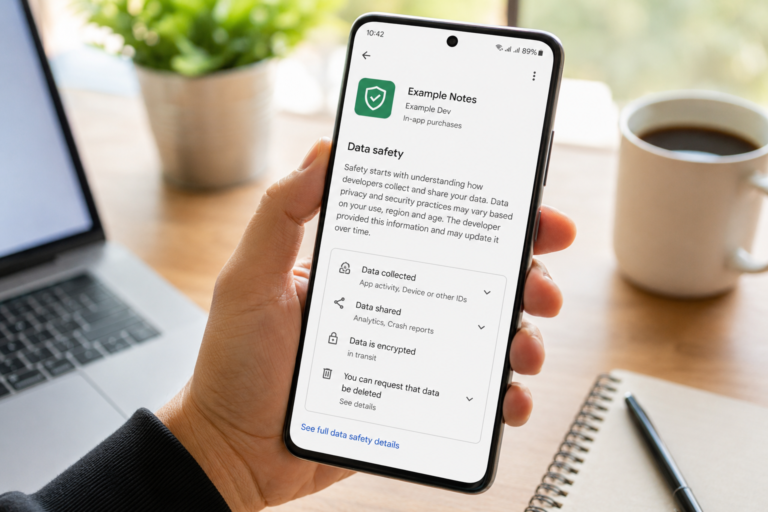 How to Check If an App Shares Data With Third Parties
Published: 21 Jul 2026 • 11:30 PM Updated: 21 Jul 2026 • 11:34 PM Reading: 19 min read...
How to Check If an App Shares Data With Third Parties
Published: 21 Jul 2026 • 11:30 PM Updated: 21 Jul 2026 • 11:34 PM Reading: 19 min read...
 What Happens When You Delete an App? The Complete Android Guide
Published: 17 Jul 2026 • 12:09 AM Updated: 17 Jul 2026 • 12:09 AM Reading: 47 min read...
What Happens When You Delete an App? The Complete Android Guide
Published: 17 Jul 2026 • 12:09 AM Updated: 17 Jul 2026 • 12:09 AM Reading: 47 min read...