Quick Answer
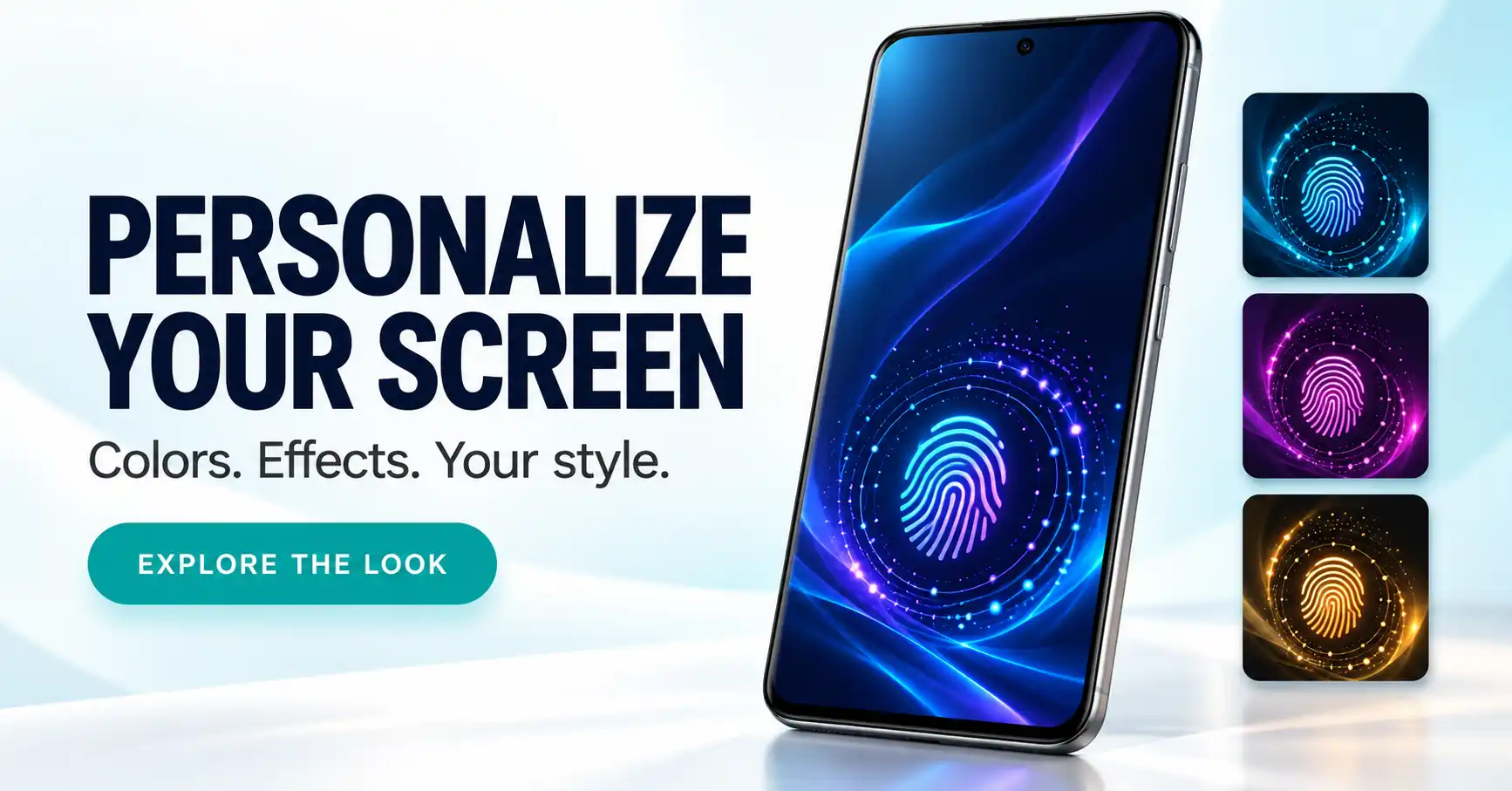
Fingerprint Live Animation is an Android personalization app that adds decorative fingerprint effects and animated wallpapers. It does not scan fingerprints, improve fingerprint recognition, or add a fingerprint sensor to your phone. It is worth considering if you enjoy customizing your screen, but check lock-screen compatibility, advertising, permissions, and battery usage before keeping it.
What Is Fingerprint Live Animation?
Fingerprint Live Animation offers fingerprint-themed effects, live backgrounds, and advertised AI wallpaper tools. Its purpose is to change your screen’s appearance with glowing colors, particles, and other decorative elements.
The official Google Play listing identifies the developer as GMInfotech and marks the app as containing ads.
The most important distinction is between appearance and authentication. An animated fingerprint symbol is a visual element. Your phone’s actual fingerprint reader remains responsible for recognizing your finger and unlocking the device.
This guide is based on the public listing, developer information, and practical analysis. It does not claim hands-on testing of the app.
| App overview | Details |
|---|---|
| App name | Fingerprint Live Animation |
| Developer | GMInfotech |
| Platform | Android |
| Category | Personalization |
| Advertising | Contains ads |
| Main purpose | Fingerprint-themed animations and wallpapers |
| Fingerprint recognition | Not provided by this app |
| Best suited to | Users interested in visual customization |
Does It Replace Your Phone’s Fingerprint Unlock Animation?
Do not assume that a fingerprint wallpaper replaces your phone’s built-in unlock animation.
A wallpaper can display a glowing fingerprint symbol without being connected to successful authentication. Similarly, positioning an effect over the sensor area does not prove that it responds when your fingerprint is recognized.
These are different features:
- Fingerprint wallpaper: A fingerprint design displayed as part of the background.
- Decorative animation: A moving visual effect positioned on the screen.
- System unlock animation: An effect controlled by the phone’s software during biometric authentication.
The developer’s description confirms the decorative purpose but does not establish system-level replacement of the manufacturer’s unlock effect.
Android’s official fingerprint documentation explains that fingerprint authentication involves dedicated hardware and system components. Installing a wallpaper app cannot add missing biometric hardware.
For example, if your fingerprint reader is inside the side power button, an on-screen animation will not turn the display into a fingerprint scanner.
Which Features Could Be Useful?
Adjustable Animation Position and Size
Positioning controls are useful because a visual effect needs to fit your actual screen layout.
A design that looks attractive in a preview may overlap your clock, charging information, or notification cards when applied. Resizing and repositioning can help you create a cleaner arrangement.
Check the result with notifications visible. An empty lock screen does not show whether the design will remain practical throughout the day.
Different Fingerprint Effects
The description advertises neon, particle, ripple, and other decorative styles.
However, it refers to both “50+” animations and “100+” effects. Because those figures differ, the exact number should not be treated as confirmed.
Focus on whether the available effects suit your preferences. A few well-designed options can be more useful than a large collection you rarely open.
Live Wallpapers
Animated backgrounds can help create a coordinated theme, particularly when the wallpaper colors match the fingerprint effect.
The trade-off is visual activity. A moving background may make notification text harder to read or feel distracting after repeated use.
Start with a simple design and check it under your usual brightness settings.
AI Wallpaper Tools
The developer advertises AI wallpaper generation, but the supplied information does not clearly explain generation limits, processing location, or possible charges.
Before choosing the app mainly for this feature, check:
- Whether you can enter your own prompts.
- Whether generation requires an internet connection.
- Whether usage limits or payment options apply.
- Whether generated wallpapers can be saved or applied as expected.
Do not assume that advertised AI features include unlimited access.
Who Should Try It—and Who Should Skip It?
| What you want | Is this app a suitable starting point? |
|---|---|
| Decorative fingerprint effects | Yes, if the available designs appeal to you |
| A coordinated animated background | Potentially; check the applied result |
| Better fingerprint recognition | No |
| An in-display reader on unsupported hardware | No |
| Stronger lock-screen security | No |
| A replacement for the manufacturer’s unlock effect | Not established by the available information |
| A quiet, minimal screen | A static wallpaper may be simpler |
The app makes the most sense for someone who enjoys experimenting with themes and understands that the effects are decorative.
It is less useful if you are trying to fix unreliable fingerprint recognition. In that situation, start with your phone manufacturer’s fingerprint troubleshooting instructions.
How to Set Up Fingerprint Live Animation
The developer describes a setup process involving effect selection, positioning, background customization, and application.
Use the following checks when setting it up:
- Open the official Play Store listing. Confirm the app name and developer before installing.
- Choose a simple animation. A restrained effect makes placement problems easier to notice.
- Adjust its position and size. Keep the clock and notification area clear.
- Choose a matching background. Avoid combinations that reduce text readability.
- Review the application options. Check which wallpaper destinations your phone offers.
- Lock and wake the phone. Inspect the actual result outside the preview.
- Unlock normally. Confirm that your existing unlock method remains convenient.
Keep your normal PIN, password, or other security settings enabled. Decorative wallpaper does not replace those protections.
What If the Animation Does Not Appear on the Lock Screen?
First, check what happened rather than repeatedly applying the same design.
Did the wallpaper appear on the home screen only? Is the effect visible but incorrectly positioned? Or were you expecting it to react to fingerprint recognition?
Each situation points to a different issue.
| Problem | What to check |
|---|---|
| Wallpaper appears only on the home screen | Review the destination selected when applying it |
| Animation overlaps screen information | Reduce its size or change its position |
| Preview looks different from the applied wallpaper | Compare it with your actual clock and notifications |
| Effect does not react when unlocking | Verify whether authentication-triggered behavior is supported |
| No lock-screen option is available | Check your phone’s supported wallpaper options |
A successful preview does not confirm identical behavior on every Android device.
Avoid granting additional permissions simply because an expected effect is missing. First establish whether the app actually supports that behavior.
Will It Drain Your Battery?
The developer describes the app as lightweight and battery-friendly. That is a promotional claim rather than a measured result from this guide.
Google’s Pixel battery guidance includes turning off live wallpapers as a battery-saving measure. This does not tell us how much power this particular app uses, but it supports checking the trade-off.
For a practical comparison, use the animated wallpaper during a normal day, then compare it with a static wallpaper under reasonably similar conditions.
Watch for:
- Noticeably shorter battery life.
- Unusual warmth during ordinary use.
- Less responsive navigation.
- Background activity that seems excessive for the benefit you receive.
A short preview cannot establish all-day efficiency. Keep the app only if the visual improvement is worth its actual impact on your phone.
Privacy and Permissions to Check
The Google Play Data safety section declares that the app may collect device or other IDs, reports encryption in transit, and states that no data is shared with third parties.
These are developer-provided declarations, not an independent security audit. The linked privacy policy could not be retrieved during preparation of this guide, so its detailed terms were not verified.
The exact permissions requested by the installed app were also not tested.
Connect each permission request to the feature you are using. For example, choosing a personal photo as a background may explain a photo-access request. Requests unrelated to your intended use deserve closer inspection.
Google explains how to review and change access in its app permissions guide. On Pixel phones, the route is generally Settings → Apps → Select the app → Permissions. Other manufacturers may use different labels.
Also remember that “does not scan fingerprints” and “collects no data” are different statements.
Are There Better Alternatives?
The best alternative depends on what you want to change.
For Actual Unlock Effects
Check your phone’s built-in fingerprint, personalization, or theme settings first. If your manufacturer offers unlock animation choices, those settings are a more direct starting point.
Available options depend on the device.
For a Cleaner Screen
Use a static wallpaper with clear space around the clock and notifications. This is a practical choice if readability matters more than movement.
For a Coordinated Theme
Explore your phone’s built-in wallpaper and color controls before adding another customization app. You may already have enough options to create the appearance you want.
For Decorative Fingerprint Animations
Fingerprint Live Animation remains relevant if that specific visual style is your goal. Evaluate the usable designs, advertising experience, and application options before considering any payment presented inside the app.
Exact pricing and AI-generation charges were not verified.
Frequently Asked Questions
Does Fingerprint Live Animation scan fingerprints?
No. The developer describes it as a visual customization app, not a fingerprint scanning or recognition tool.
Can it add fingerprint unlocking to any Android phone?
No. A decorative animation cannot add the hardware required for fingerprint authentication.
Does it improve fingerprint recognition speed?
The available information does not establish any improvement to recognition speed or accuracy. Its stated purpose is appearance customization.
Can I use it with a side-mounted fingerprint reader?
You may be able to use compatible wallpaper features, but the physical reader stays in its original location. An on-screen symbol does not become a working sensor.
Are all animations and AI wallpapers free?
That was not confirmed. Check the app for access limits, advertising requirements, and payment terms before relying on a particular feature.
Why does the effect not respond when I unlock?
An animated wallpaper is not necessarily connected to successful fingerprint recognition. Confirm that the behavior you expect is explicitly supported.
Is Fingerprint Live Animation safe?
The available listing information is insufficient for a blanket safety guarantee. Review its permissions, privacy terms, and actual behavior before deciding whether to keep it.
Final Recommendation
Consider Fingerprint Live Animation if you want decorative fingerprint effects and enjoy customizing your Android screen.
Begin with one simple design. Confirm that it appears where you want, keeps notifications readable, and does not create an advertising or battery experience you dislike.
If your goal is better fingerprint recognition, stronger security, or a guaranteed system unlock animation replacement, this app does not establish those benefits.
View Fingerprint Live Animation on Google Play
Editorial disclosure: TNAPK independently publishes app reviews, guides, and educational content. This article is based on publicly available information, developer descriptions, and practical analysis rather than hands-on testing. Features, pricing, policies, and availability may change. Verify important details through official sources before installing or purchasing.
Keep Exploring
Discover more reviews, guides, and comparisons to help you choose the right Android apps.
 What Is an International Calling App?
Published: 26 Oct 2026 • 01:28 AM Updated: 26 Oct 2026 • 01:28 AM Reading: 8 min read...
What Is an International Calling App?
Published: 26 Oct 2026 • 01:28 AM Updated: 26 Oct 2026 • 01:28 AM Reading: 8 min read...
 What Is a Mobile Vault? Calendar Vault Features and Privacy Explained
Published: 22 Oct 2026 • 01:19 AM Updated: 22 Oct 2026 • 01:19 AM Reading: 7 min read...
What Is a Mobile Vault? Calendar Vault Features and Privacy Explained
Published: 22 Oct 2026 • 01:19 AM Updated: 22 Oct 2026 • 01:19 AM Reading: 7 min read...
 CRED App Review (2026): Is It the Best Credit Card Payment App?
Published: 10 Jul 2026 • 12:34 AM Updated: 10 Jul 2026 • 12:34 AM Reading: 9 min read...
CRED App Review (2026): Is It the Best Credit Card Payment App?
Published: 10 Jul 2026 • 12:34 AM Updated: 10 Jul 2026 • 12:34 AM Reading: 9 min read...
 500 CIBIL Loan App: Is IndiaLends Worth Using in 2026?
Published: 10 Jul 2026 • 12:11 AM Updated: 10 Jul 2026 • 12:32 AM Reading: 8 min read...
500 CIBIL Loan App: Is IndiaLends Worth Using in 2026?
Published: 10 Jul 2026 • 12:11 AM Updated: 10 Jul 2026 • 12:32 AM Reading: 8 min read...